

From direct support
to elevated positioning.
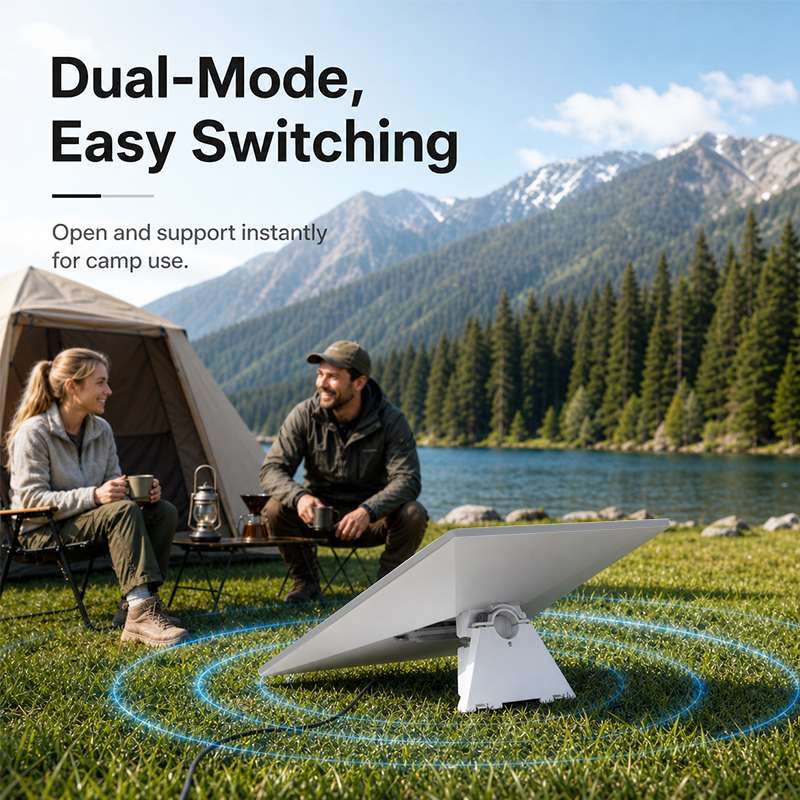
Select the configuration that matches the site. The adapter remains attached to the compatible Gen 3 terminal while the support method changes.
Level 01 / Low
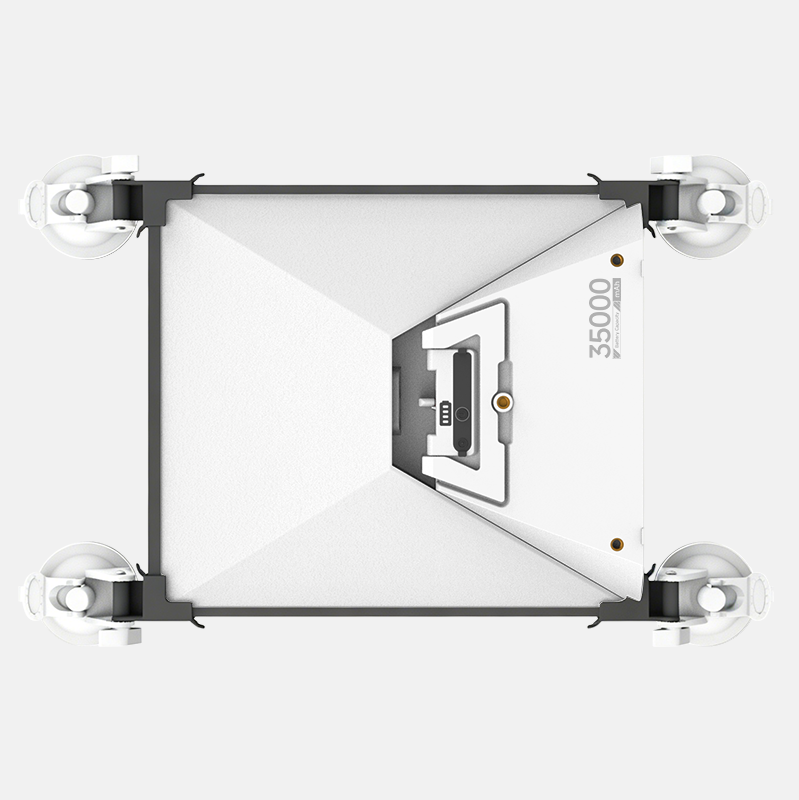
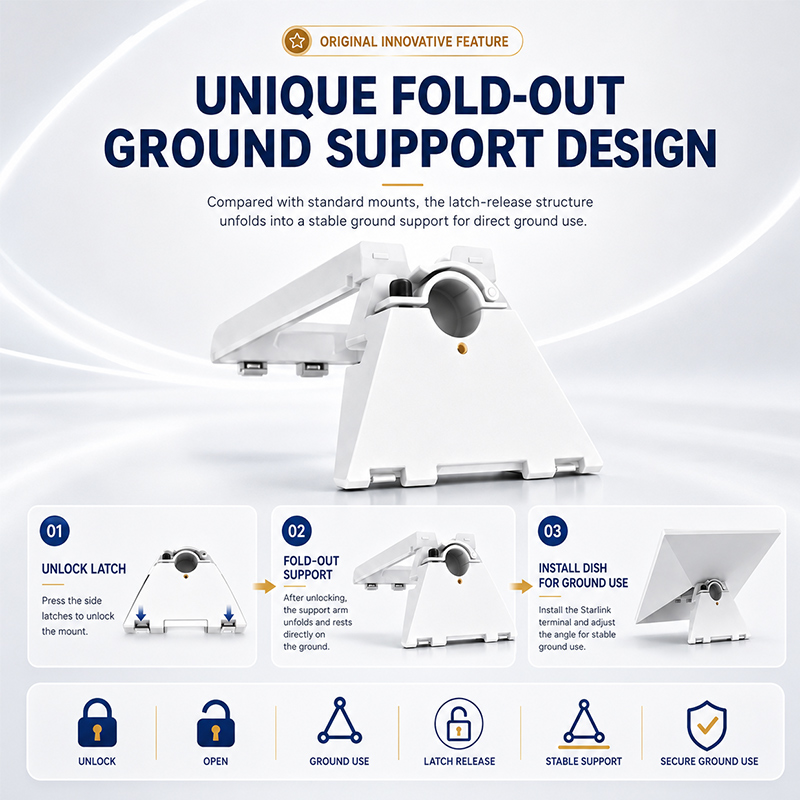
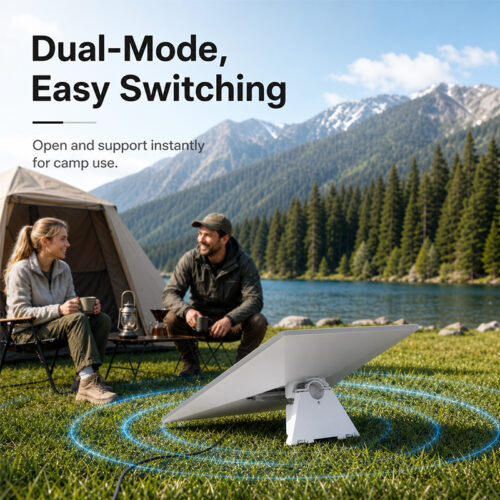
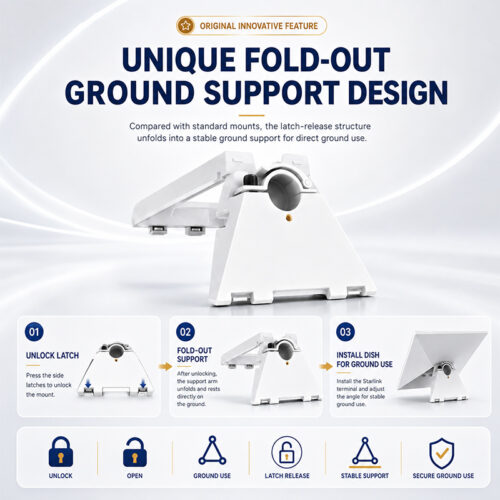
Integrated ground support
Release the two underside latches, unfold the support and position the compatible terminal at a suitable angle on a stable, level surface.
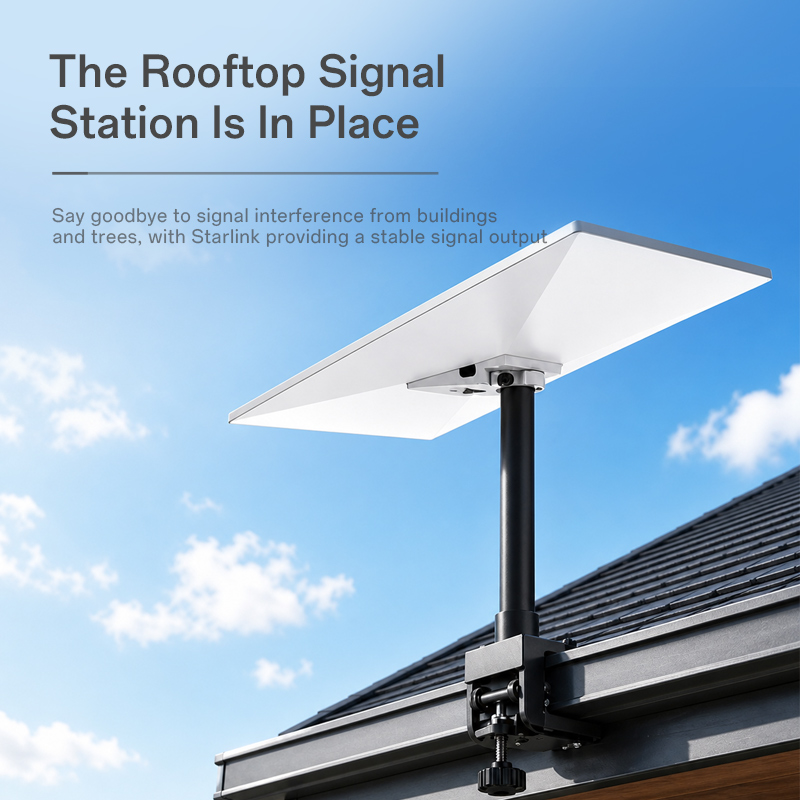
Level 02 / High
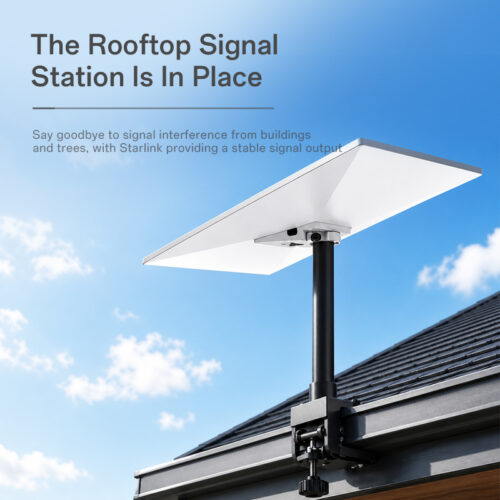
Compatible pole installation
Open the quick-release clamp, insert a separately specified pole and secure the mechanism after setting the required position.
Starlink Gen 3, support pole, surface anchors and location-specific mounting hardware are not stated as included.
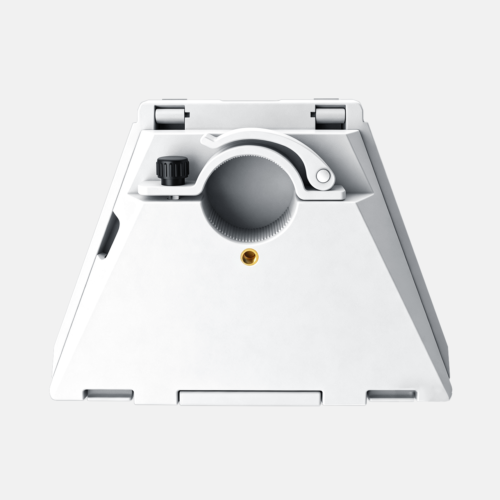
Three contact points.
One controlled clamp.
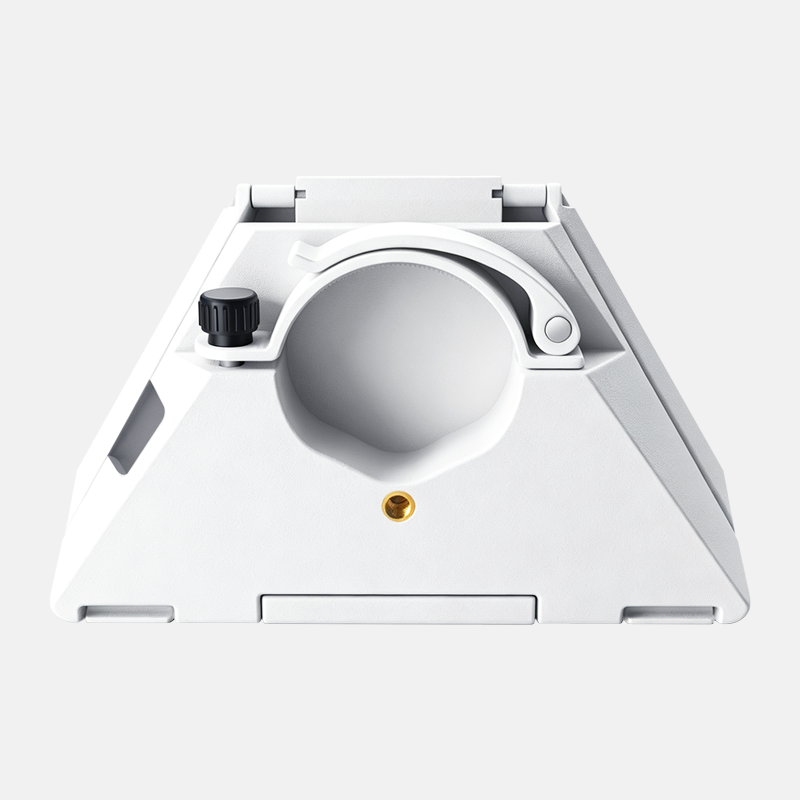
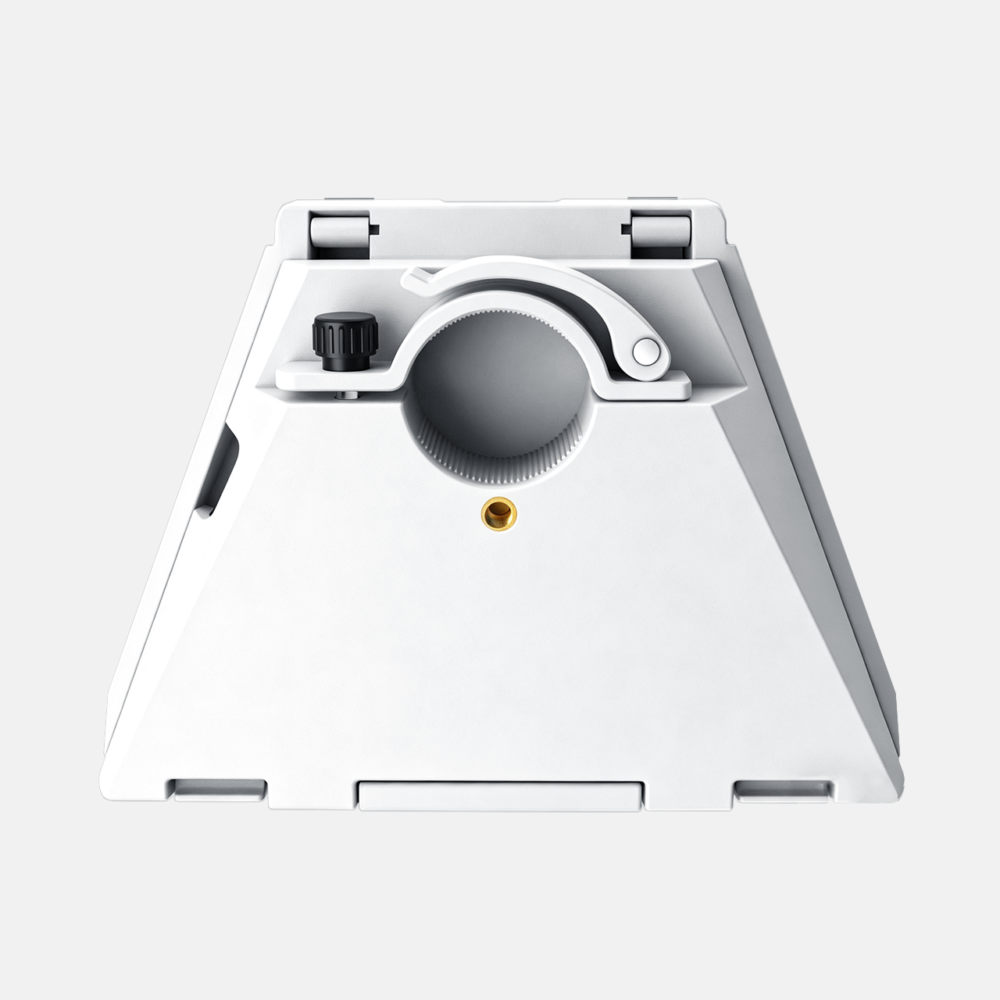
The pole interface combines manual adjustment, lever action and a textured inner surface. Together they control insertion and retention without presenting this non-keyed version as an anti-theft lock.
Adjustment knob
The black manual knob supports fine tightening and release of the interface.
Flip-open lever
The arched lever opens for pole insertion and presses down to close the clamp.
Serrated inner wall
The textured circular contact surface and brass insert are shown as part of the clamping structure.
Unlock → unfold → position.
Release both latches
Press the two underside release points before opening the integrated support.
Unfold the support
Extend the support completely until it reaches the intended open position.
Install and check
Attach the compatible terminal, place it on a level surface and verify balance and cable routing.
Open. Insert.
Set. Secure.
Use a compatible pole and confirm the complete mounting assembly before elevating the terminal.
- 01
Attach the bracket to the compatible Gen 3 terminal and verify engagement. - 02
Loosen the adjustment knob and raise the quick-release lever. - 03
Insert a separately specified pole and set the required position. - 04
Press the lever down, tighten the knob and pull-test the connection.
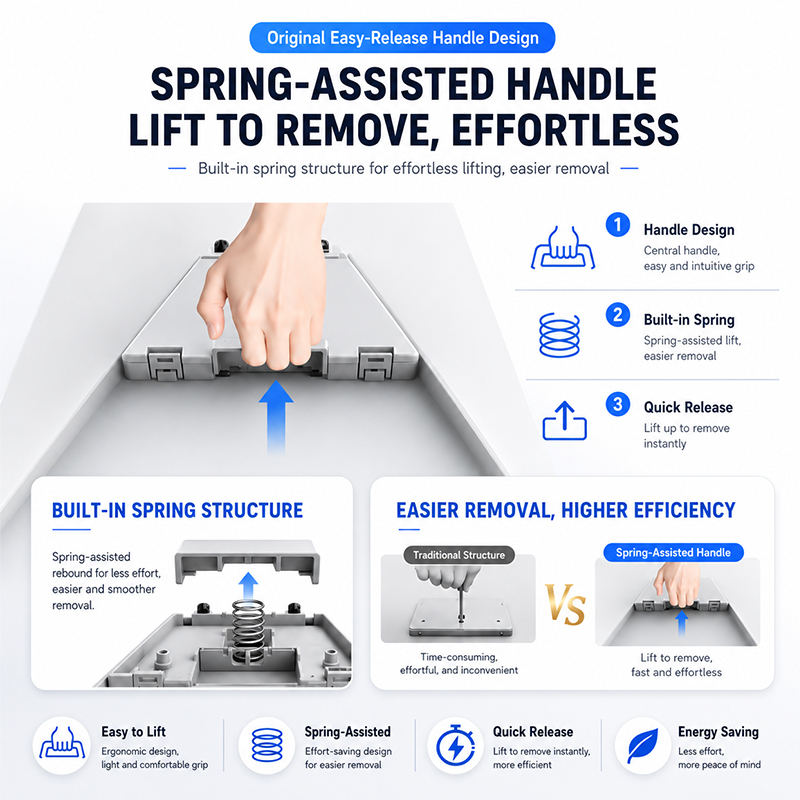
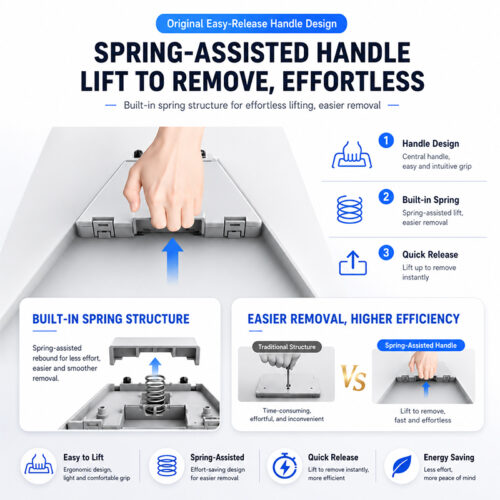
Designed for simpler removal.
The integrated center handle and spring-assisted return structure provide a dedicated lifting point when removing or changing the compatible terminal.
Central lifting point
The handle provides an obvious location for controlled lifting.
Spring-assisted action
The supplied design shows a built-in spring supporting smoother handle movement.
Faster changeover
Lift the handle when releasing the terminal for packing or redeployment.
Sized for Gen 3.
Only identification, dimensions and materials visible in the supplied artwork are listed.
| Product SKU | XL0179 |
|---|---|
| Reference model | QRM01 |
| Product type | 2-in-1 adjustable quick-release base adapter |
| Intended device | Starlink Gen 3 |
| Version | White, non-key-locking configuration |
| Approximate dimensions | Base width 18.6cm; upper width 9.8cm; height 14.4cm |
| Materials | Aluminium, PC and ABS |
Measurements in the supplied artwork are manually taken and may vary slightly. No verified load, pole-diameter, wind, vibration, waterproof or corrosion rating was supplied.
Position the terminal.
Engineer the installation.
The adapter helps change the support method and terminal position. Signal performance still depends on the Starlink service, sky visibility, terminal orientation, obstructions and installation conditions.
Confirm level support, balance, drainage and cable routing.
Specify structural attachment, sealing, grounding and wind resistance separately.
Validate speed, vibration, corrosion and secondary retention requirements.
Planning a Gen 3 deployment?
Send us the intended support mode, pole or mounting information, estimated quantity and destination country. We will help confirm the current configuration, package contents and quotation details.